Development Mode Guide for PlentyONE Plugin Developers
What is Development Mode?
Development Mode (DevMode) is designed for plugin developers to efficiently test GIT-sourced plugins within a running PlentyONE system. It allows rapid synchronization of a plugin from a specific GIT repository branch directly into the installed system, bypassing the full plugin deployment process.
How it works
To use DevMode, the plugin must first be installed as a regular GIT plugin (by adding its repository and credentials if necessary, then installing it within a plugin set). Once installed:
-
Enable Development Mode in the Plenty backend for the specific plugin set you intend to use.
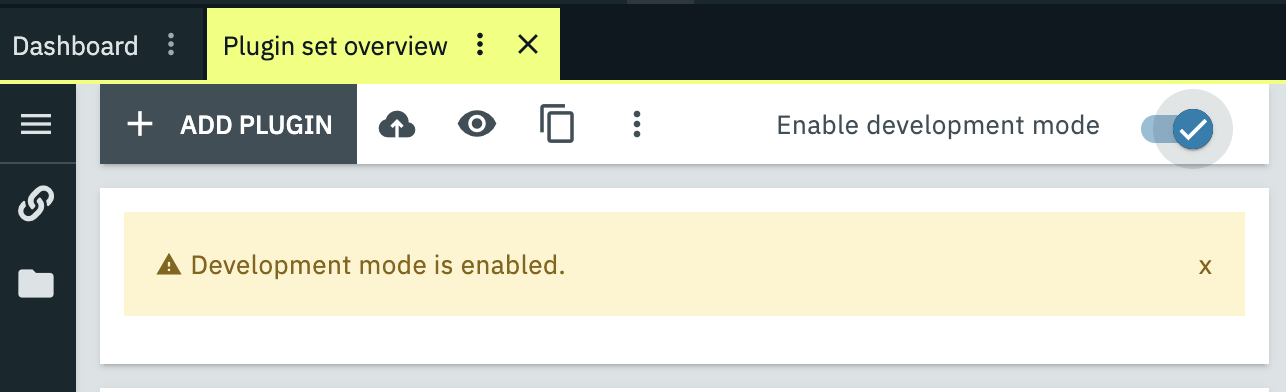
-
Integrate CI pipeline either with CLI or GitHub Action (or similar), as detailed below.
DevMode functionality
-
Code Check: DevMode performs a security-focused code check on the PHP code. Note: It does not conduct a full static code analysis like a regular build.
-
Resource Deployment: Publishes all frontend resources (CSS/JS) and clears necessary caches, including invalidating the PHP cache, to create a quick testing environment.
-
Quick Sync: Syncs your plugin’s latest code from its GIT repository.
Important Considerations
-
DevMode is for testing only in a development environment.
-
It is not intended for publishing plugins to the marketplace. → Use the full deploy process for final plugin versions.
-
Production use is rare and must be approved by the system owner, due to its volatile nature.
-
CI/CD pipelines can be integrated to automate DevMode builds. → Samples are available for CLI and GitHub Actions to streamline development workflows.
Best Practices
-
Always use a separate plugin set for DevMode (never your live production set).
-
Prefer GitHub Actions CI, as it includes error formatting to help identify faulty code lines.
CI/CD Integration
GitHub Action-based CI pipeline
You can integrate DevMode builds automatically on GitHub Actions or other CI tools.
With a CI Pipeline, on each run (push or manual trigger):
-
Request a fresh login token from PlentyONE (credentials from GitHub Secrets).
-
Trigger a Dev Mode build for the configured system and plugin set.
-
Monitor the build until completion.
-
Report success ✅ or detailed errors ❌.
👉 Find a sample pipeline and documentation here https://github.com/plentymarkets/plugin-hello-world
CLI-based CI pipeline
-
Clone and install
dev-sync:git clone https://github.com/plentymarkets/dev-sync -
Add your system credentials in
~/.plenty_config.yml. -
Enable DevMode on your plugin set in Plenty.
-
Commit, push and trigger a build:
git commit -am "my change" git push syncPluginSet <PLENTY_ID> <SET_ID> -
Find the full usage documentation in the repository readme: https://github.com/plentymarkets/dev-sync